Features
LogLog is a tree survey app and arborist field app built around a single principle: capture everything once, on site, with no re-typing. Here's how each piece works.
Feature 01
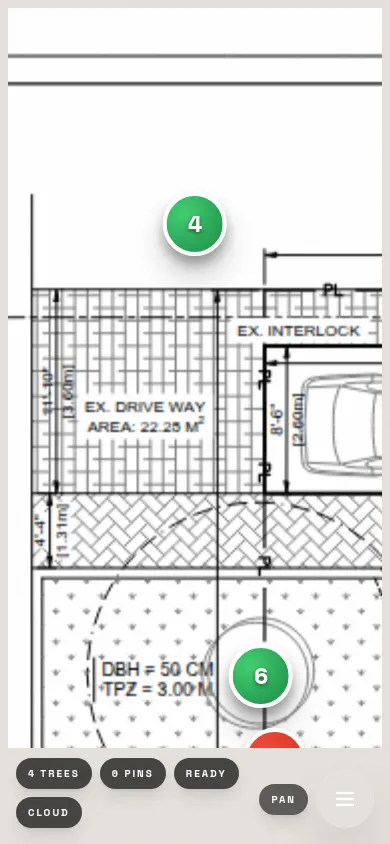
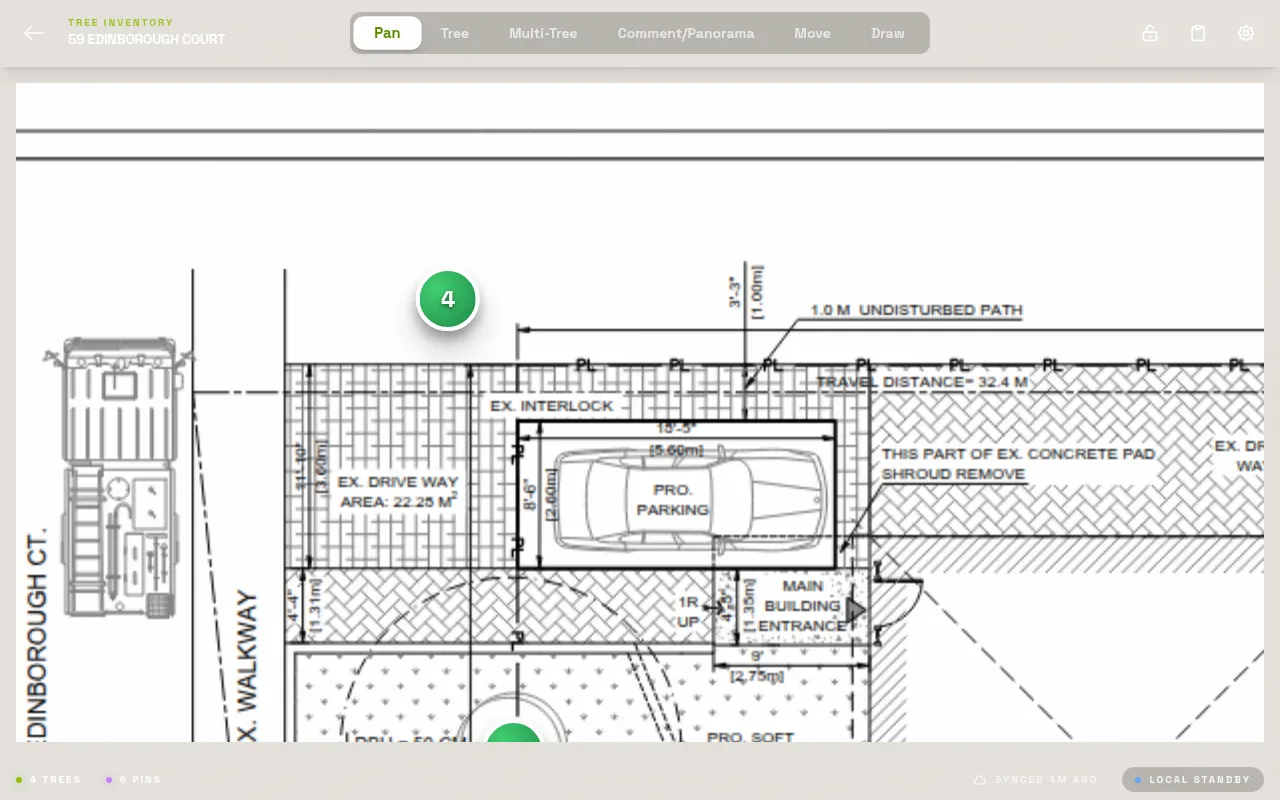
Load any PDF site plan — survey drawings, architect plans, municipal maps — and tap directly on it to drop numbered tree markers. Zoom and pan freely. Each pin is permanently linked to that tree's full data record. This is what makes LogLog a true PDF site plan annotation tool rather than just a data form.
Before a site visit, load the PDF on your phone or tablet. On site, walk the property and tap each tree's location on the plan as you go. The pin number matches the tree record — so your annotated plan and your data inventory are always in sync, automatically.
The old way
Print the site plan. Mark up by hand in the field. Photograph your markup. Squint at your handwriting back in the office trying to decode tree #23.
With LogLog
Tap once to pin a tree. The plan stays digital, the numbers stay readable, and every pin links to its data record automatically.
Feature 02
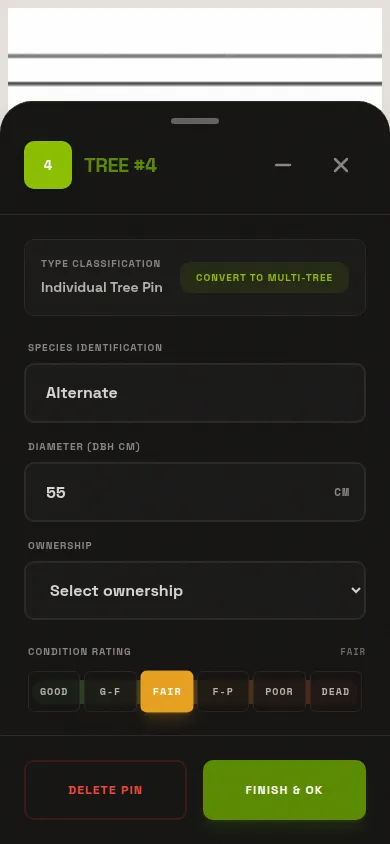
Species, DBH, height, condition rating, notes — fill in every field once, on site, the moment you're standing next to the tree. The mobile editor in this arborist field app is designed for gloves-on, sun-in-your-face field conditions: large tap targets, clear labels, minimal typing.
Tap a tree pin on your site plan. The data panel opens. Enter species from a searchable list, dial in DBH with a numeric input, pick a condition rating with one tap. Add a note if needed. Done — walk to the next tree. That record is complete and will never need to be touched again.
The old way
Write it on a clipboard form. Then retype every row into a spreadsheet back at the office. Spend the evening entering data you already collected.
With LogLog
Enter it once, on site. No transcription, no second pass, no evening data-entry session. The tree is finished the moment you walk away.
Tree #14 — Quercus robur
Feature 03
Snap a photo of the trunk, the canopy, a wound, or a defect — and it attaches directly to that tree's record. No manual sorting, no labeling, no hunting through your camera roll three days later trying to remember which oak had that basal decay. Every photo is linked, numbered, and exported with the tree it belongs to.
Open a tree record, tap "Add Photo," snap the shot. It's attached. When you export the project, every photo is organized into a folder by tree number — so your client receives a clean package where the photos and data always correspond. Useful for condition reports, permit applications, and insurance documentation.
The old way
Camera roll of 80 tree photos. Which was tree #14? You think it's the fourth one — or was it the fifth? Spend 20 minutes renaming files manually.
With LogLog
Photos attach at capture time. No renaming, no sorting, no guessing. Open Tree 14, see Tree 14's photos. Always.
Feature 04
This tree inventory software was built for job sites, not conference rooms. Once the app loads, it works with zero internet connection. All your data, your PDF, and your photos live on your device. No signal? No problem — you won't even notice.
Load your project before you leave the office. Drive to site. Work all day with no bars on your phone — every pin, every data entry, every photo saves locally and immediately. Back in range? Pro users sync to the cloud. Solo users export their data as a backup anytime they like.
The old way
Cloud-dependent apps that spin endlessly when you lose signal. Or pen and paper because nothing digital was reliable enough to trust on site.
With LogLog
Fully functional with no internet. Everything is local first. Your survey can't be interrupted by a bad signal.
Feature 05
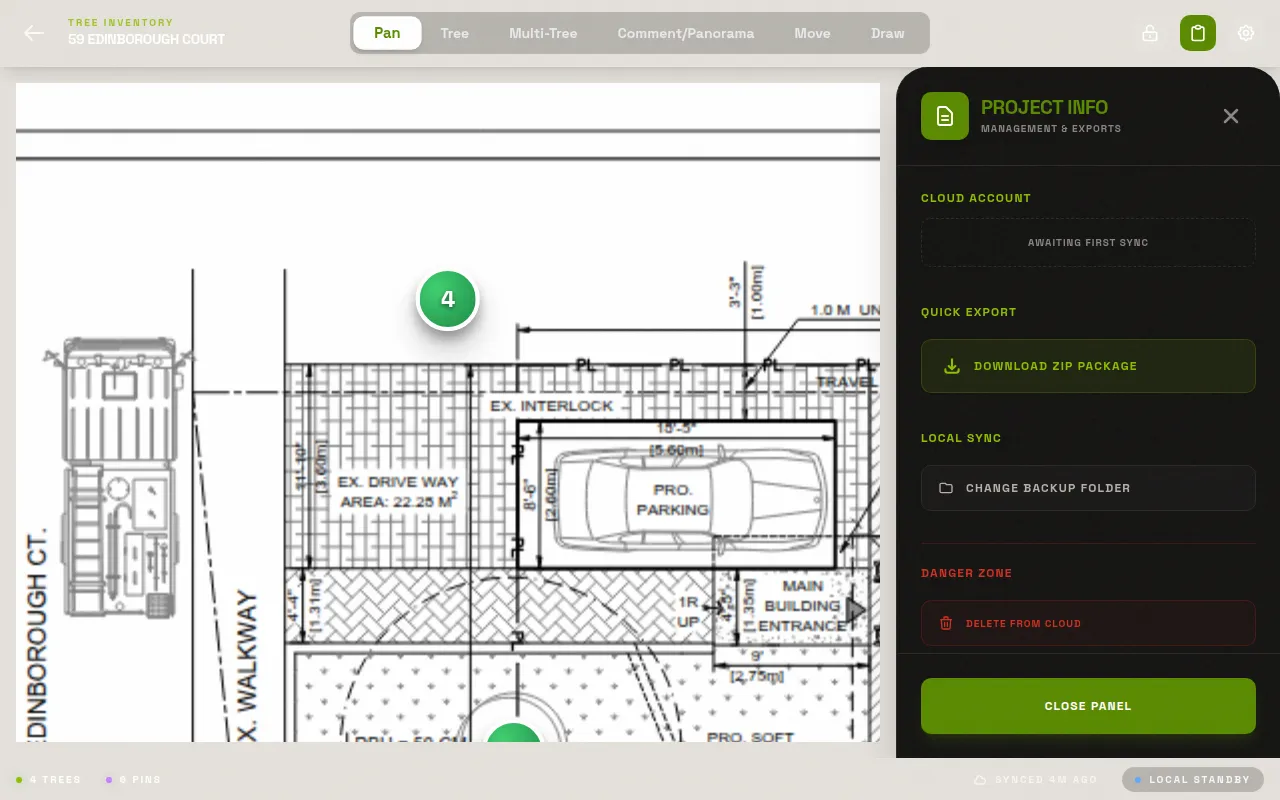
When the survey is done, tap Export. You get a ZIP file containing everything: the annotated site plan with all pins baked in, an Excel/CSV spreadsheet with every tree record, and every attached photo organized into folders by tree number. Client-deliverable in 30 seconds.
Finish your last tree on site. Hit Export. The ZIP downloads directly to your phone. Email it to your client from the car park. No laptop needed, no waiting until you're back at the office, no reformatting. The spreadsheet column headers match standard arborist report formats — it drops straight into your existing report template.
Annotated site plan PDF
Your original plan with all tree pins rendered on it
Excel / CSV spreadsheet
Every tree, every field, every note — one row per tree
Photos organized by tree
Folders named by tree number, photos labeled automatically
The old way
Compile the spreadsheet. Find the site plan photo. Rename the camera roll photos. Zip it all up. Email it. One hour of admin after a full day on site.
With LogLog
One tap. 30 seconds. A complete, organized, client-ready package. Done from the car park before you drive home.
LogLog is free, works in any mobile browser, and needs no account to start. Open it on your phone and you're surveying in under two minutes.