From site plan to client report
in four steps.
Upload your PDF before you leave the office. Do everything else on site. Most arborists deliver their first complete report on the same day as the visit.
Upload Your Site Plan
Load any PDF — engineering drawings, landscape plans, survey documents, even hand-scanned field sketches. LogLog doesn't care about scale, format, or orientation. Pinch to zoom, pan around, and you're ready to start placing trees.
Already at the site and forgot to upload? Open LogLog on your phone, grab the PDF from your files, and you're going in under 30 seconds. No desktop needed, no pre-registration of site plans.
Drop Tree Markers
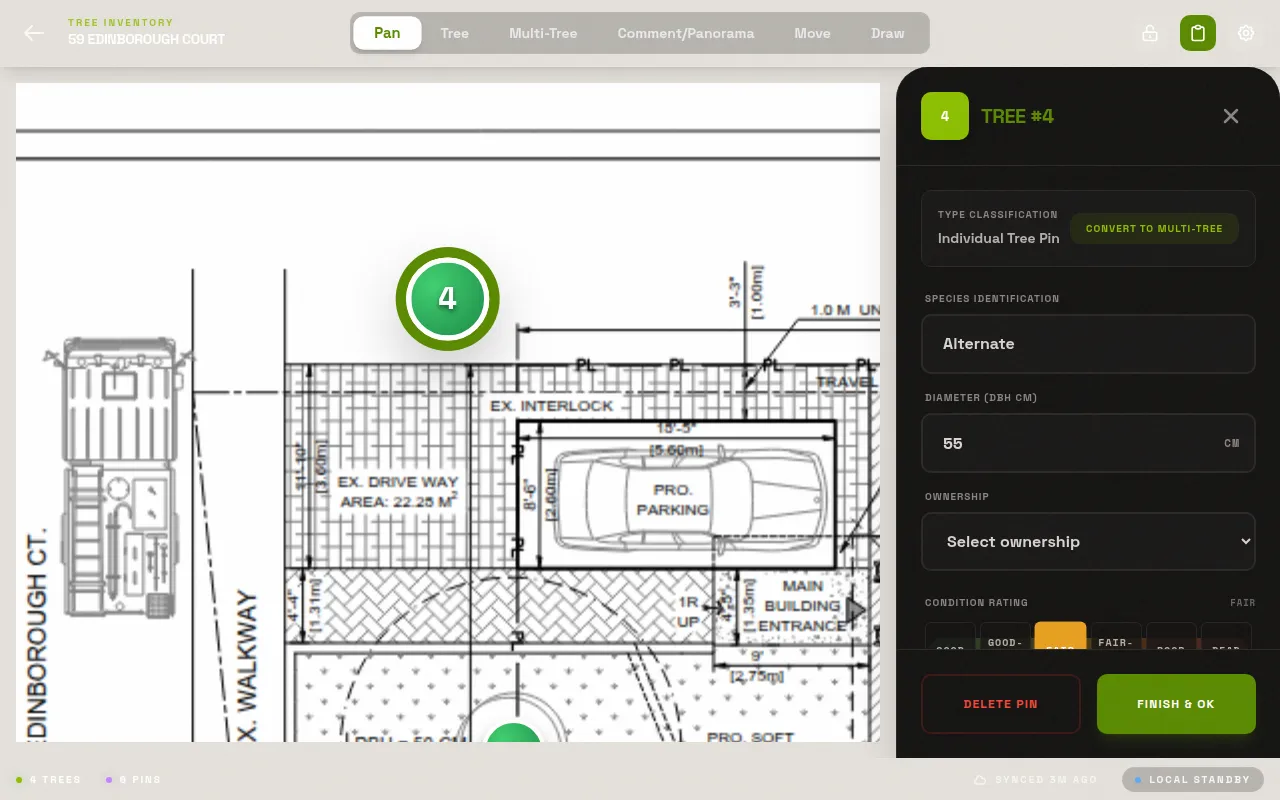
Tap anywhere on the plan to place a numbered pin. Pins auto-increment — tree 1, tree 2, tree 3 — so there's no numbering to manage. Move a pin by dragging it. Delete one with a long press. Each pin is a full tree record waiting to be filled in.
The numbered markers in the exported PDF match the row numbers in the exported spreadsheet exactly. No cross-referencing, no "which tree was number 47 again?"
Record Field Data
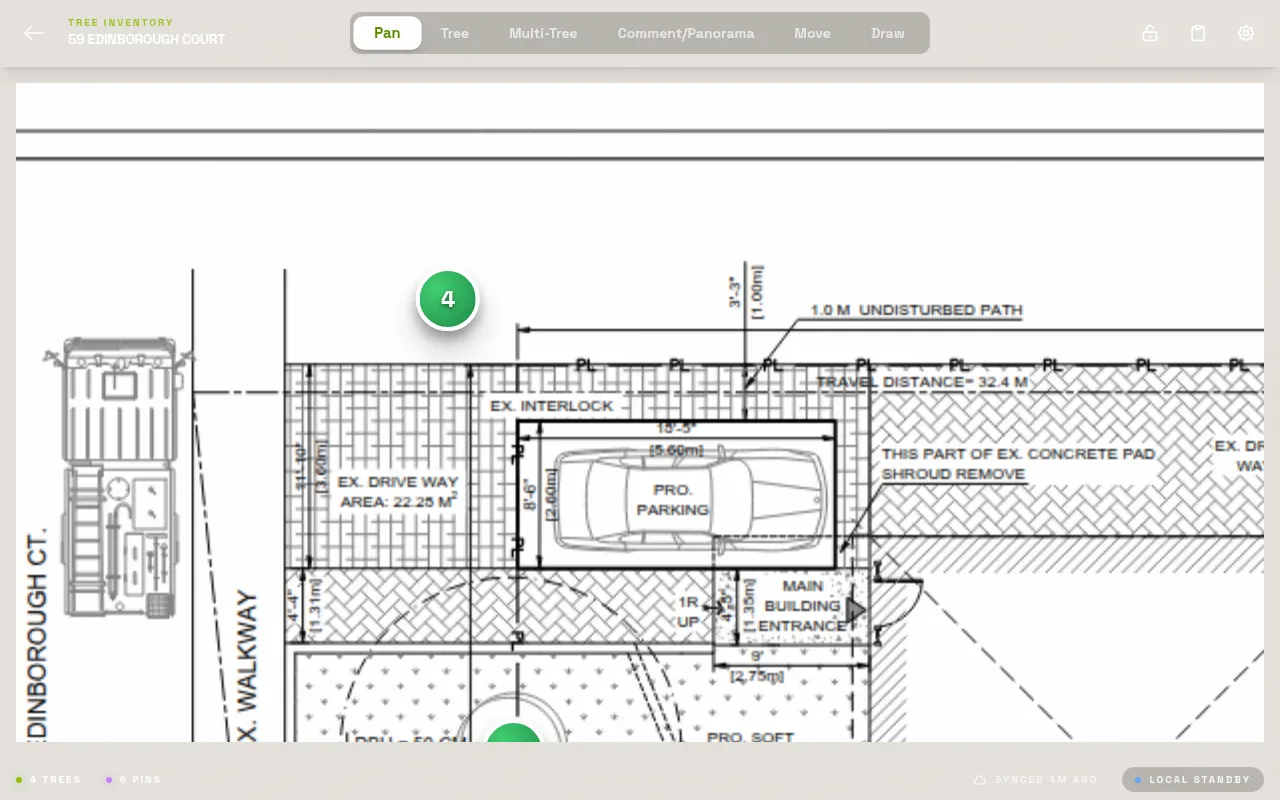
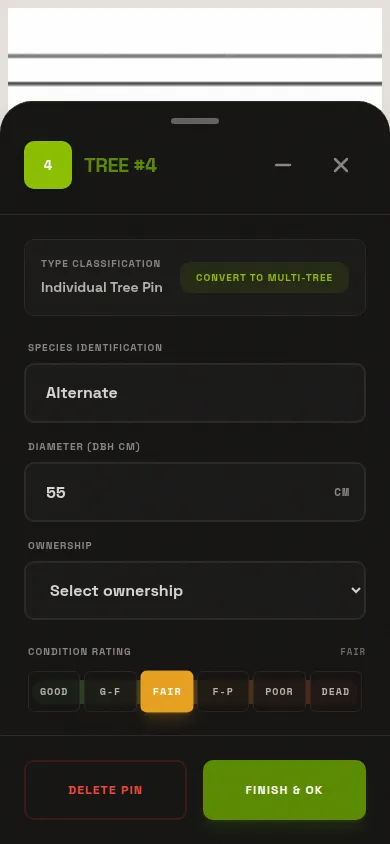
Tap a pin to open its record. Enter species, DBH, condition rating, and any free-text notes. Attach photos directly from your camera — they link to this tree and nowhere else. The whole entry takes 30–60 seconds per tree once you're in a rhythm.
Works offline. No cell signal at the back of the property? No problem. Everything stores locally on your device and all your data is preserved exactly as entered — no connectivity required until you're ready to export.
Export Everything
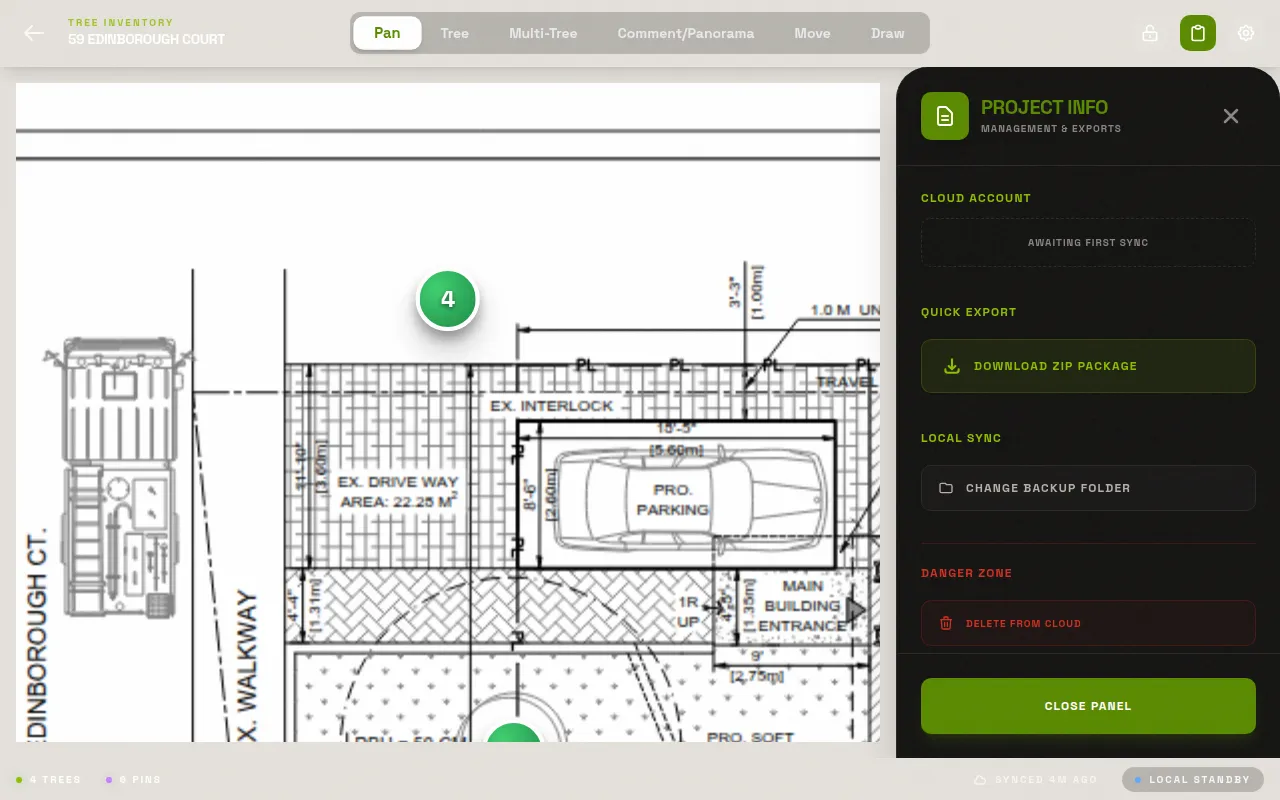
One tap exports a ZIP containing: the annotated PDF with all numbered pins burned in, an Excel spreadsheet with every tree record, and a folder of photos named by tree number. The ZIP is ready to email to a client or drop into your document management system immediately.
The whole export takes about 30 seconds for a typical 50–100 tree project. No additional software, no formatting work, no assembly required. What the client receives is exactly what you recorded in the field.
See it for yourself.
Free to start. No app store needed. Works on any phone or tablet in any modern browser.
Try LogLog Free